There’s a specific kind of frustration that shows up around the third or fourth attempt with an AI video generator. Not the first attempt — that one usually goes fine, or at least interestingly. It’s the later ones, when the novelty has settled and you’re trying to make something that actually works for a real purpose, that the gap between expectation and output becomes visible.
This isn’t a criticism of any particular tool. It’s a pattern that tends to repeat across different platforms, different users, and different use cases. Understanding it early saves a lot of revision time.
The First Session Is Rarely Representative
Most people approach an AI video generator the same way they approach a search engine: type something in, see what comes out, adjust from there. That works reasonably well for search. For generative video, it tends to produce a misleading first impression — in both directions.
Some first outputs are genuinely surprising. The motion looks coherent, the visual style lands close to what was imagined, and the whole thing takes maybe ninety seconds. That’s the moment where people either overestimate what the tool can do consistently, or underestimate how much the prompt actually mattered.
What people often notice after a few more tries is that the quality of the output is tightly coupled to the specificity of the input. A vague prompt produces a vague video. A prompt that describes lighting, pacing, subject position, and mood tends to produce something more usable. That’s not obvious at the start, and most beginners don’t realize they’re essentially writing a brief, not just a description.
The other thing that gets misjudged early: the difference between “impressive” and “usable.” A clip can look visually polished and still not fit the context it was made for. That gap — between what the AI produces and what the project actually needs — is where most of the real work lives.
What a Platform Like MakeShot Is Actually Offering
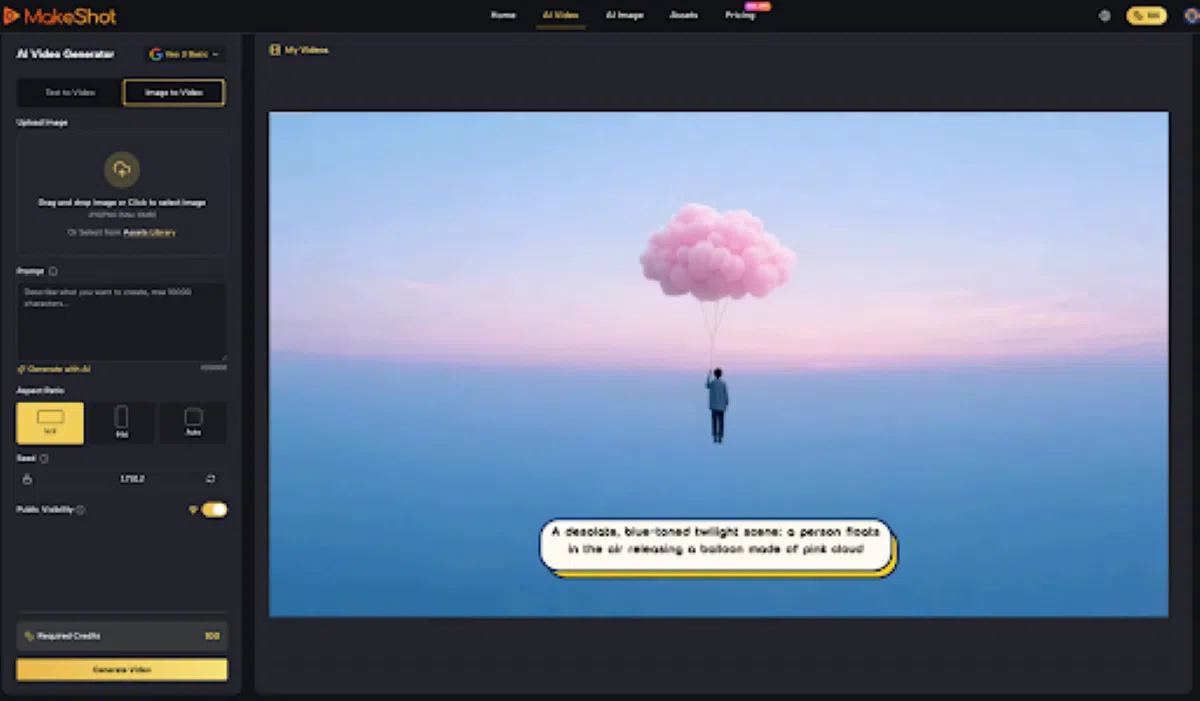
MakeShot positions itself as an all-in-one AI studio for generating both video and images, with access to models including Veo 3, Sora 2, and Nano Banana under one platform. That’s the stated scope. What it means in practice, for a beginner, is worth thinking through carefully.
Having multiple generation models in one place is genuinely useful — not because any single output will be perfect, but because different models tend to handle different types of prompts differently. Being able to test the same idea across more than one model without switching platforms reduces friction in the comparison stage. That’s a real workflow benefit, even if it’s not the most exciting one to describe.
What can’t be concluded from the product description alone: how each model performs on specific content types, what the output resolution or duration limits look like, how the interface handles iteration, or what the learning curve feels like for someone with no prior experience in generative tools. Those are the details that only emerge through actual use, and they matter more than the model names.
I’d be cautious about reading too much into the model lineup as a quality signal. The models listed are recognizable names, but the experience of using them through a given platform depends heavily on implementation — prompt interface design, generation speed, how results are displayed, how easy it is to re-run with variations. None of that is visible from the outside.
Where AI Speed Actually Helps (And Where It Creates More Work)
The honest answer is: AI video generation speeds up the beginning of a creative process more than it speeds up the end.
Getting from “I have an idea” to “I have something visual to react to” — that part genuinely gets faster. For solo creators, small business owners, or anyone who’s been stuck in the concept phase because producing even rough video used to require equipment or editing software, that’s a meaningful shift. The barrier to having a visual draft is lower.
The part that usually takes longer than expected is what comes after the first draft. Selecting which output to keep, deciding whether it’s close enough or needs another iteration, figuring out what to change in the prompt to get a different result — that’s not automated. It requires judgment, and judgment takes time. For people who expected to go from prompt to finished asset in one step, this is where the workflow starts to feel slower than anticipated.
There’s also a less-discussed cost: decision fatigue. When a tool can generate multiple variations quickly, you end up with more options to evaluate. More options don’t always mean faster decisions. What tends to happen, especially in early use, is that people generate more than they need and then spend a disproportionate amount of time choosing between outputs that are all roughly equivalent.
The Shift That Happens Around Week Two or Three
Something changes for most people after they’ve used an AI video generator enough times to stop being surprised by it. The outputs stop feeling like magic and start feeling like raw material. That’s actually the more useful mental model.
When you stop expecting the tool to produce a finished asset and start treating it as a fast way to generate starting points, the workflow becomes more sustainable. You’re not evaluating whether the output is good in an absolute sense — you’re evaluating whether it’s close enough to be worth developing further, or whether the prompt needs rethinking.
This shift also changes how people evaluate the tool itself. Early on, the question is usually “is this impressive?” Later, it becomes “is this reliable enough to be part of how I actually work?” That’s especially true for teams trying to create videos consistently for marketing, product, or social channels, where repeatability matters more than novelty.
For a platform like MakeShot, the relevant question isn’t whether it can produce something that looks good on the first try. It’s whether the iteration experience — running variations, adjusting prompts, comparing outputs — is smooth enough to fit into a real working rhythm. That’s something only sustained use can reveal.
A More Grounded Way to Evaluate Fit
The decision to keep using any AI video generator past the initial trial period is less about the tool itself and more about whether your use case has enough repetitive creative demand to justify the learning investment.
If you’re producing social content regularly, testing product visuals, or generating concept drafts that feed into a larger production process, the workflow starts to pay off once the prompt-writing instinct develops. That instinct isn’t instant. It builds through iteration, through noticing what kinds of descriptions produce what kinds of outputs, through developing a sense of what the tool handles well and what it consistently misses.
If you’re approaching it as a one-time experiment or an occasional tool for sporadic projects, the return is harder to measure. Not because the tool is less capable, but because the skill of using it effectively doesn’t have time to develop.
That’s the part most early-adopter content leaves out: generative AI tools have a learning curve that’s invisible at first, because the first outputs are easy to get. The curve shows up later, when you’re trying to get something specific rather than something interesting.
Worth keeping in mind before the third or fourth session starts to feel like a plateau.